GPT-6.1 Terra: from seeing a screen to finishing the job
Its distinctive promise is to understand drawings, invoices, and software interfaces, then carry the next steps through the tools people already use.
A visual model is often demonstrated by asking what is in a picture. A computer-use model is often demonstrated by having it click a button. Terra connects those two steps: interpret the structure on screen, then carry out an ordered series of actions in an application. The important change is how work can be divided, not how impressive one answer looks.
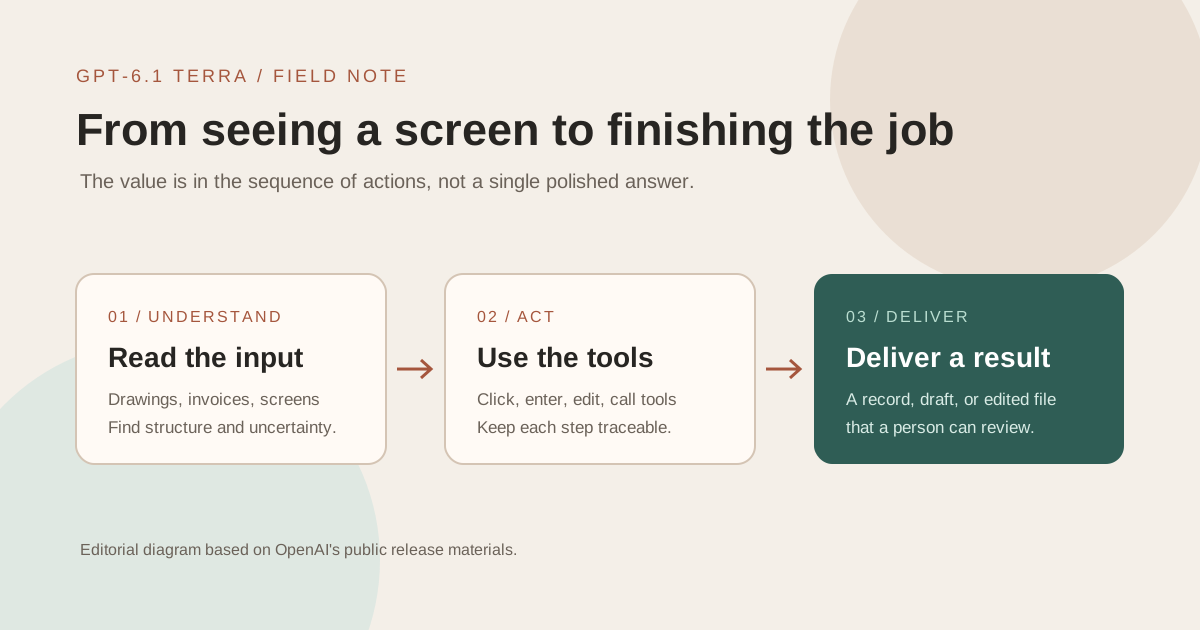
Where does Terra enter the workday?
OpenAI positions Terra as a fast, efficient model for detailed visual reasoning, precise computer use, and clearer writing. In practical terms, its job begins where a person would otherwise have to inspect messy material before deciding what to do next.
OpenAI's examples include drafting proposals, reading technical drawings, filling forms, editing video, and extracting invoice details before entering them into accounting software. Their common feature is unstructured input: an image, a document, or an actual interface rather than clean database fields.
A task trade-off, not a smaller Sol
For difficult multi-step reasoning, complex coding, or consequential judgment, Sol or Astra may still be the better starting point. Terra's opportunity lies in frequent visual and computer-based work where speed and cost matter alongside capability.
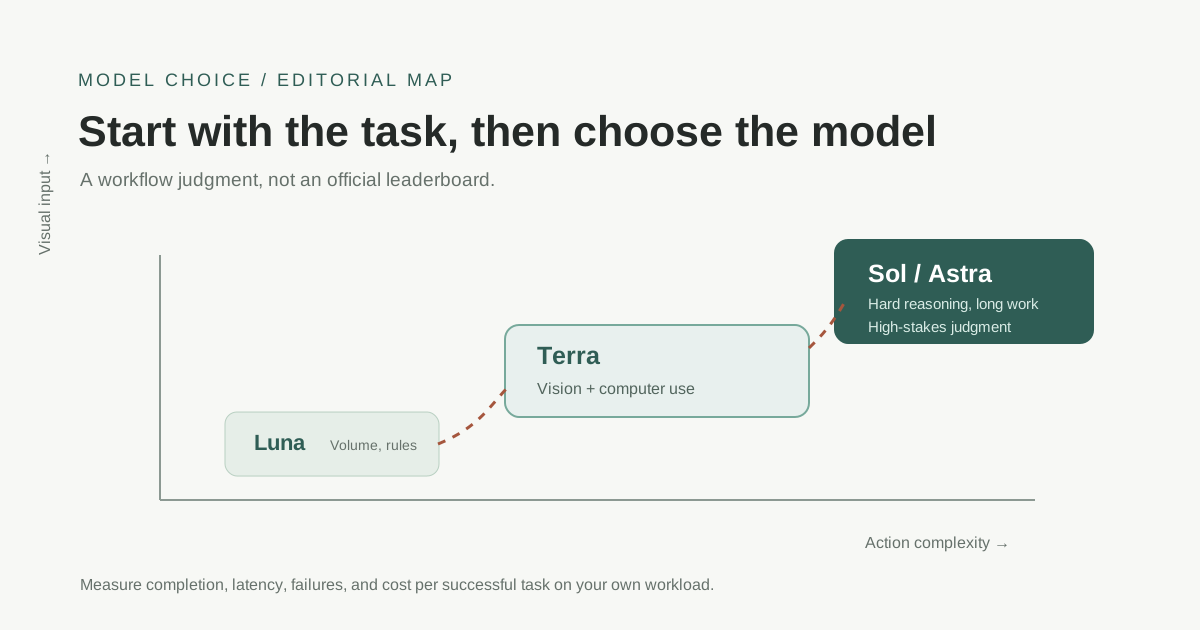
| Workload | Start by testing | Why |
|---|---|---|
| High-volume extraction or classification with clear rules | GPT-6 Luna | Optimize throughput and cost first |
| Images, tables, websites, and desktop applications | GPT-6.1 Terra | Visual understanding and action share one workflow |
| Long research, complex coding, or consequential decisions | GPT-6.1 Sol / GPT-6 Astra | Reserve more reasoning and review capacity |
Strong benchmark results still need a task-level price tag
OpenAI reports substantial gains over GPT-5.6 Terra on Agents' Last Exam, MMMU-Pro, OSWorld 2.1, and Terminal-Bench-Science 0.1. At medium reasoning effort on Agents' Last Exam, it reports a 15-point improvement at roughly one-third of the previous Terra's task cost. On some settings, Terra approaches Astra's results while running faster and cheaper.
These are vendor evaluations, not measurements of your business process. A lower price per million tokens does not automatically mean a lower cost per completed task. More tool steps, retries, or human recovery can change the outcome.
Three useful places to start
1. Invoice to accounting entry
Extract the supplier, amount, tax rate, and date from a scan, then enter them in accounting software. Acceptance should also cover totals, duplicate invoices, and unusual values that require a person's review.
2. Drawing to next action
Ask Terra to list the objects and uncertainties it sees in a technical drawing before invoking modeling or lookup tools. That gives a reviewer a chance to catch a mistaken dimension or label before further action.
3. Video to review log
Produce a time-coded log of shot changes, dialogue, and frames that may need restoration. The useful output is a reviewable first pass, not a replacement for an editor's final judgment.
Three gates before production
- Recognition: Have the model state what it saw and what remains uncertain.
- Action: Pause for approval before payment, deletion, sending, or submission.
- Delivery: Include sources, an action log, and failure reasons rather than a bare “done.”
OpenAI says Terra inherits GPT-6 alignment improvements and performs better than GPT-5.6 Terra on staying within scope, disclosing limitations, and resisting prompt injection. Those claims still need to be tested within your permissions, logs, and human approval process.
Terra turns visual input from an attachment into the beginning of a workflow. Find one familiar process with measurable acceptance criteria, let it handle a short segment, and use real failure records to decide whether to expand.