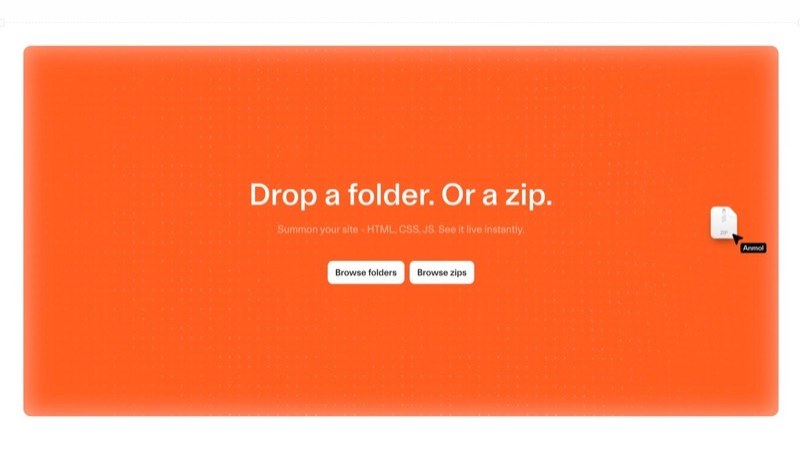
Cloudflare launches Drop: throw a folder in, and your webpage goes live worldwide instantly — no signup needed
- Cloudflare Drop (cloudflare.com/drop) lets you drag a folder or zip into your browser and go live on Cloudflare's global network in seconds — starting out requires no Cloudflare account.
- An unclaimed deployment is a temporary preview: the official changelog says the preview lasts about 1 hour; during that window you can test it, share the link, or click Claim to log in/sign up and keep it permanently.
- Supports static assets: HTML, CSS, JavaScript, images, fonts. URLs take the form
*.workers.dev, sitting on the Workers Static Assets path — not the old Pages flow where you create a project first. - After claiming, you can: attach a custom domain, turn on observability, enable Markdown for Agents, and use Access for access control.
- The same ecosystem also has
wrangler deploy --temporaryfor AI agents (a temporary account with a 60-minute claim window), sharing Drop's "deploy first, claim later" philosophy.
Let's be clear about what problem it solves
Around July 8, 2026, Cloudflare launched Cloudflare Drop. The product page copy is short:
Drop a folder. Or a zip. Summon your site - HTML, CSS, JS. See it live instantly. — cloudflare.com/drop
The official changelog spells it out more fully: without requiring a Cloudflare account first, you deploy a static site to Cloudflare and get a temporary live preview that you can test and share for about 1 hour, or claim to keep long-term.
The core sequence is flipped: the traditional path is "sign up first → create a project → then upload." Drop is "go live first → then decide whether to sign up and claim it." Anyone holding a pile of HTML files (or an AI tool that just spat out a page) wants a public URL right now, not a form to fill out first.
What it can do: a table first
Everything below just unpacks this table. Worth a quick scan first.
deploy --temporary: AI agents deploy without logging in, with a 60-minute window to claim the URLFrom drag-and-drop to claim: step by step
- Open the Drop pageOpen cloudflare.com/drop in your browser and accept any terms-of-service prompt (third-party tests show a terms dialog).
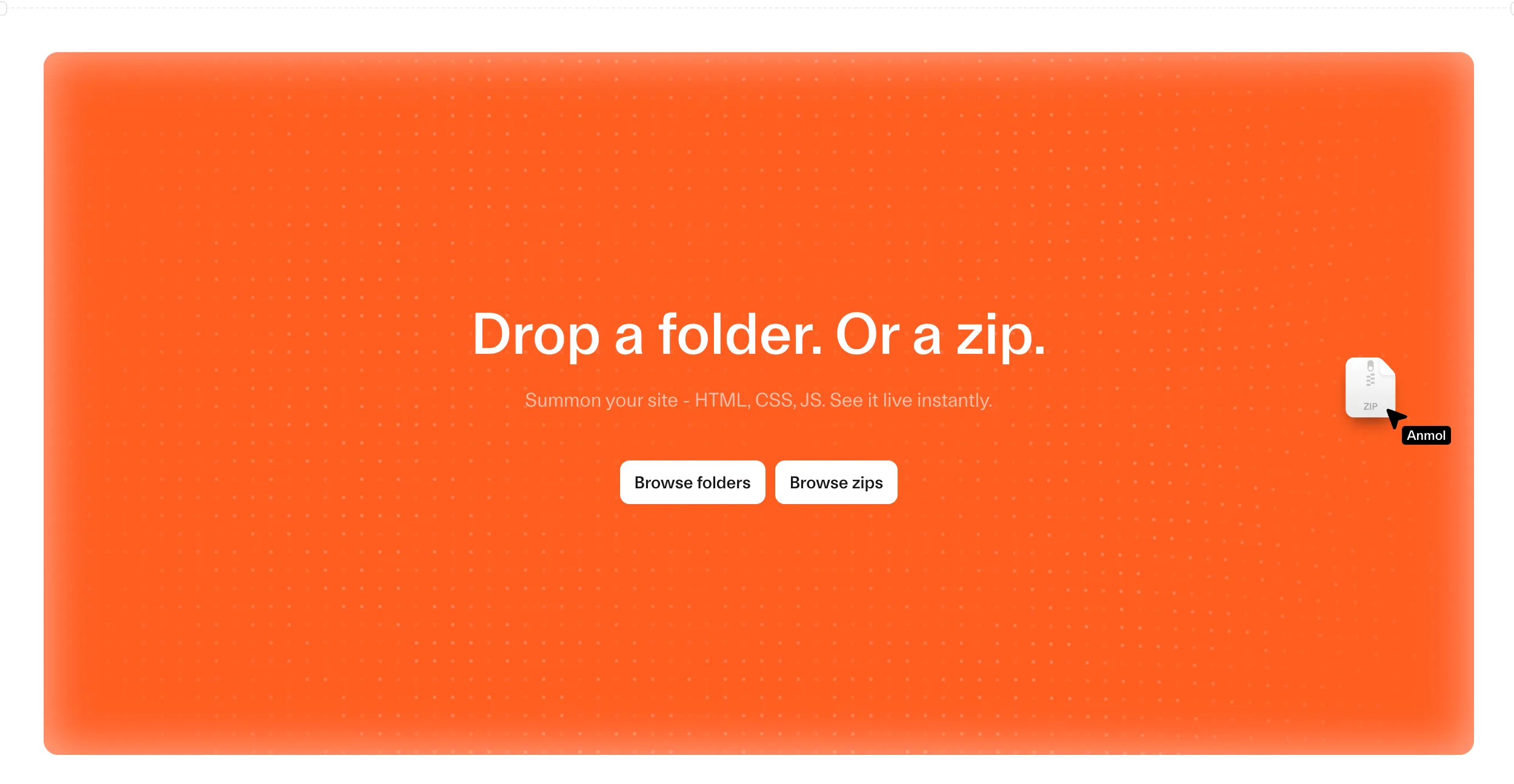
- Drag in a folder or zipPer the official screenshot: Drop files, with Browse folders or Browse zips options. The content should be a static site that opens directly (usually needs an entry HTML file).
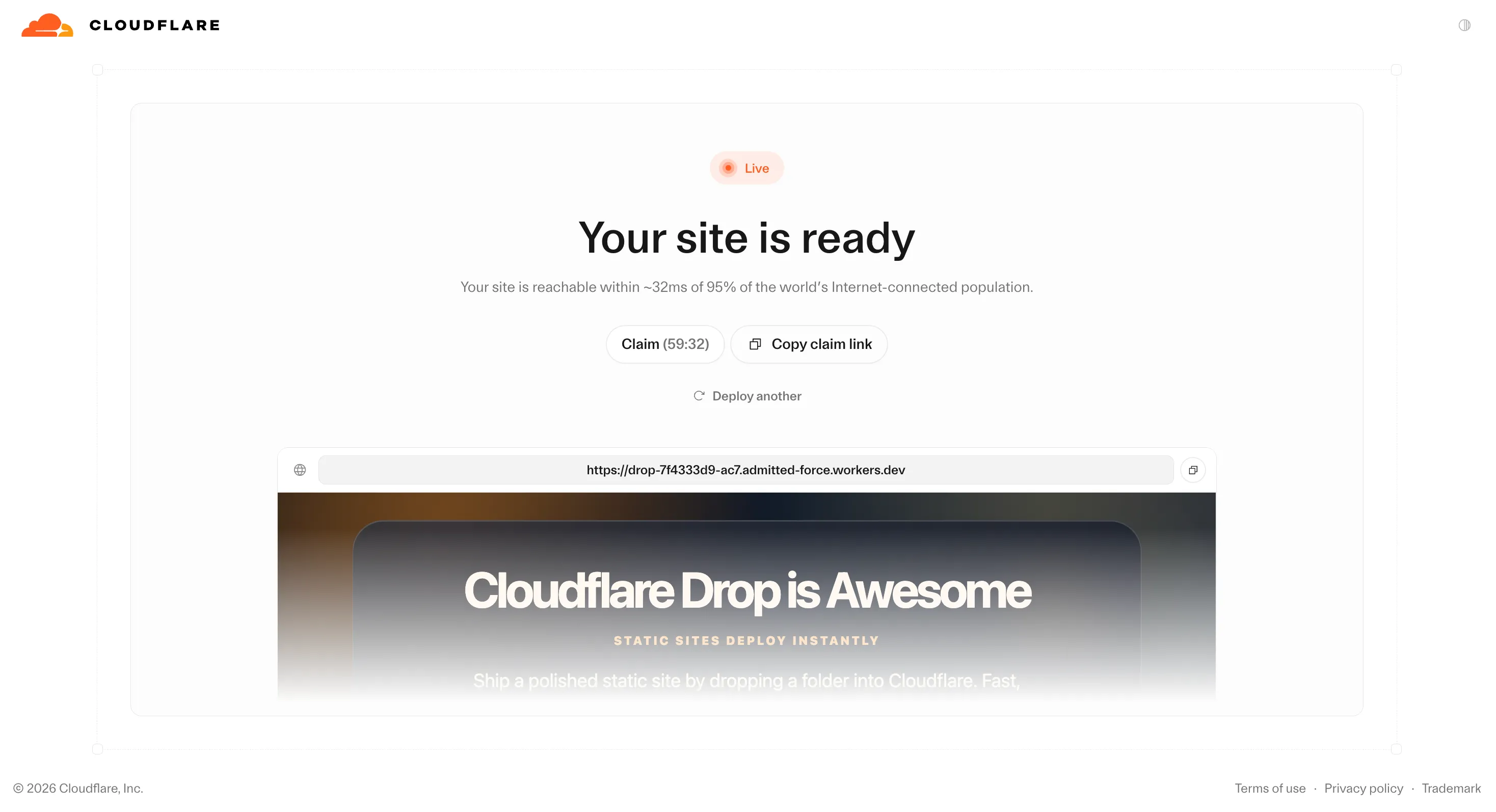
- Get a public URL instantlyLive within seconds. You can copy the link and send it to someone. stacktr.ee's hands-on test showed a domain shaped like
drop-….workers.dev. - The 1-hour windowA Claim countdown shows on screen (hands-on tests show it starting around 59 minutes). You can test the site, share it, or use Copy claim link to hand the claiming rights to someone else.
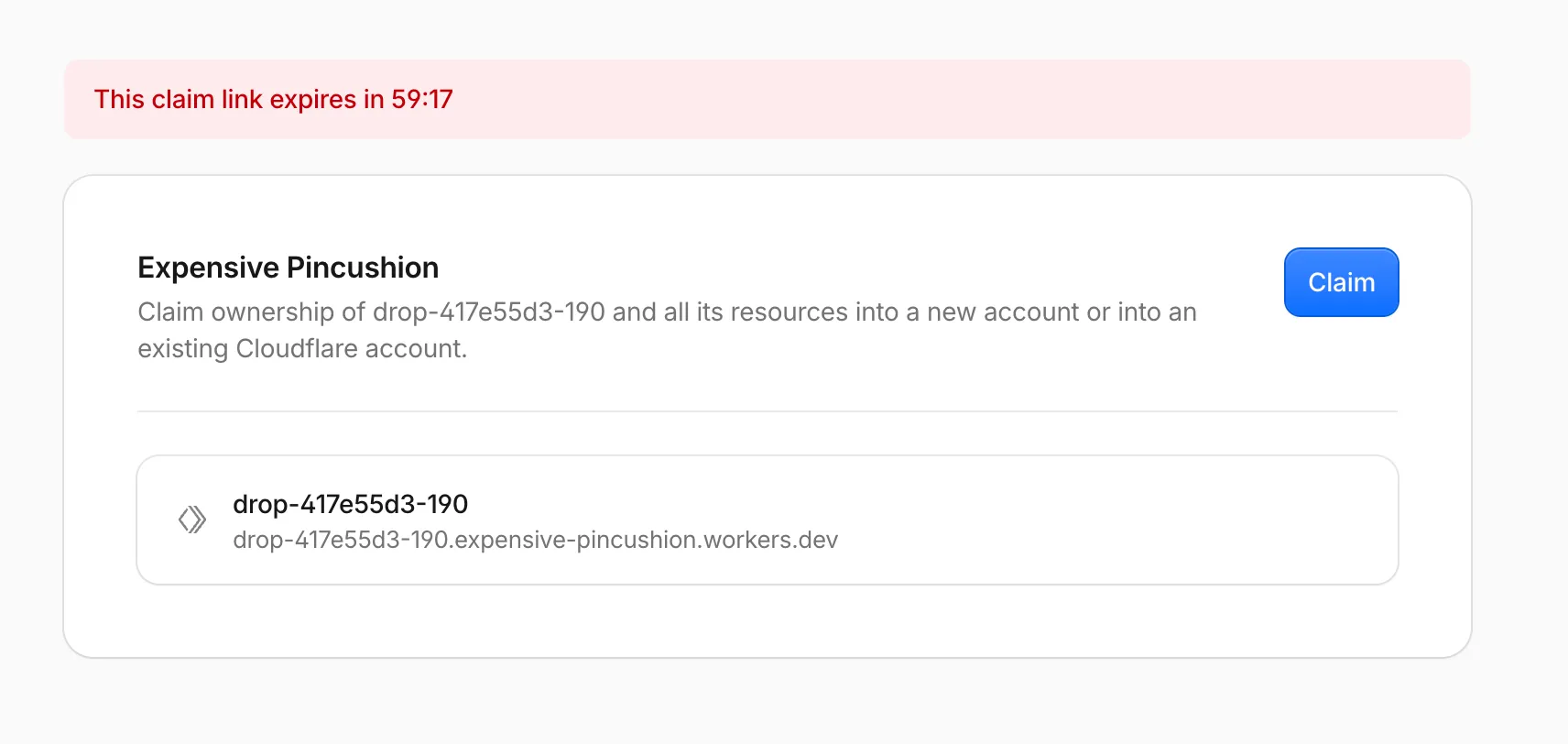
- Claim it to keep itLog in or sign up for Cloudflare to fold this deployment into a real account. If it expires unclaimed, it's deleted.
- Turn it into a proper site after claimingAttach a domain, turn on observability, enable Markdown for Agents, configure Access. Graduate from "temporary preview" to a real Workers site.
What you unlock once you graduate from preview
The official changelog lists four capability areas after claiming (as interface cards):
- Add a domain: connect an existing domain or buy a new one, and route it to the site
- Observability: monitor performance and usage (Workers observability)
- Markdown for Agents: make it easier for AI agents to read your site in Markdown form, and easier for it to show up in AI conversations
- Access control: make the site private and decide who can view it with Cloudflare Access
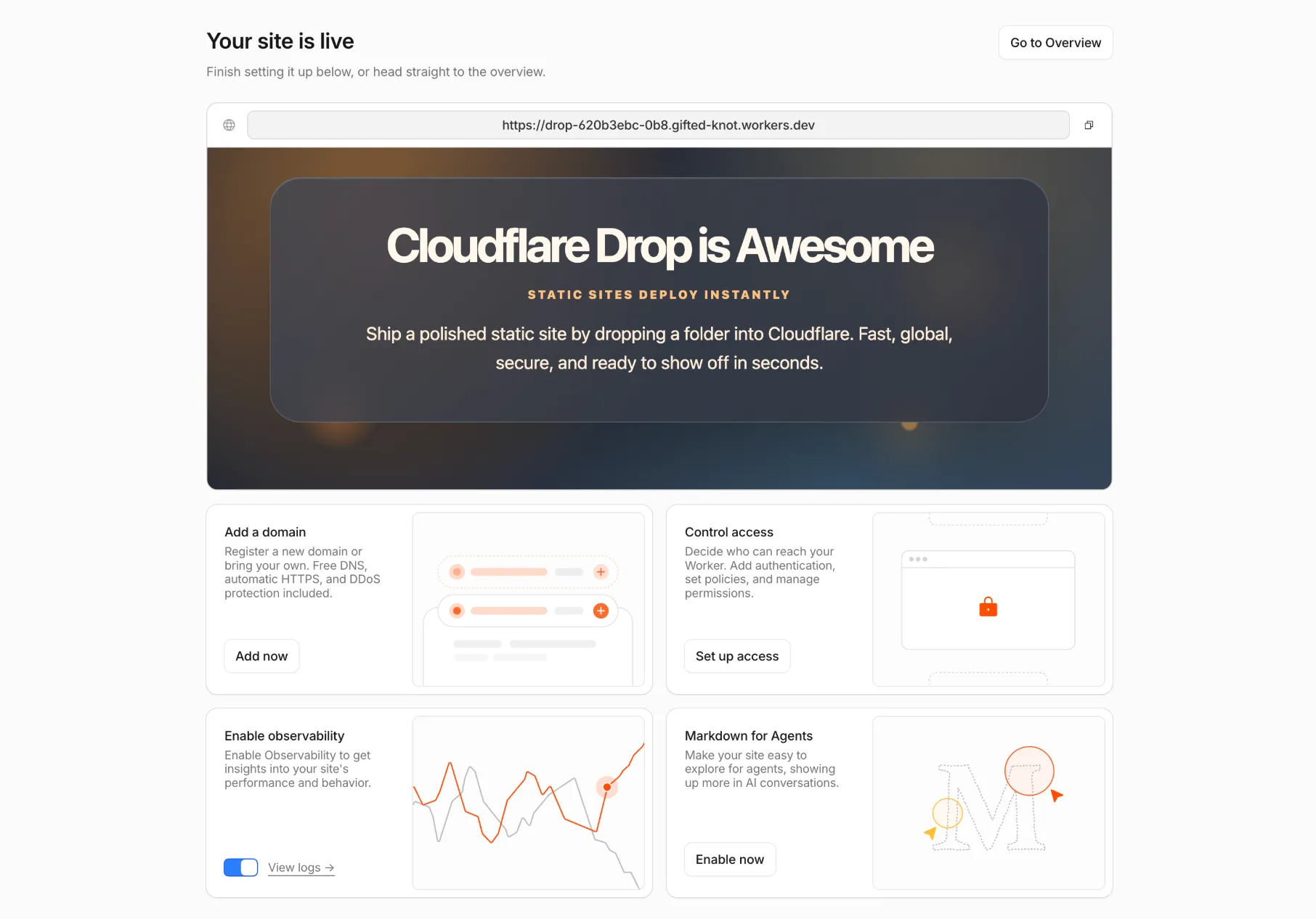
This isn't just another "generate an llms.txt file" side path. Cloudflare has turned "serve a Markdown rendering for agents to read" into a one-click toggle on the hosting layer itself, on par with HTTPS or DNS. The official copy emphasizes making the site easier for agents to explore and more likely to show up in AI conversations. For the chain of "AI generates a page → it goes live instantly → and you still want agents to be able to read it," the hosting layer just plugged straight in.
How it differs from direct Pages upload, Netlify Drop, Vercel Drop
Have an account first → create a project → then upload a zip/folder. Netlify Drop and Vercel Drop also mostly go "identity first, then live."
Go live first → claim later. The URL is publicly reachable within the anonymous one-hour window. Identity only enters the picture at the "keep it or not" step.
| Point | Cloudflare Drop | Common competitor path |
|---|---|---|
| Account to start | Not required | Usually required |
| When it goes live | As soon as you drop it | After login and project setup |
| Unclaimed lifespan | About 1 hour | Varies by product; many lack an anonymous window at all |
| URL | workers.dev | Each platform's own preview domain |
| After claiming | Full Workers suite (domain/observability/Access…) | Each platform's regular project |
Like a parcel locker: you drop the package in a slot and get a pickup code (the public URL) first; if you want to keep it long-term, you register your identity to the locker (Claim) afterward. You don't need a membership card just to put something in.
Browser Drop and wrangler --temporary are two separate legs
Drop itself is human drag-and-drop: a file picker plus terms confirmation — third-party tests show no API / CLI / MCP path that hits the Drop page directly. If an agent wants to deploy a Worker, there's a separate official route:
Wrangler ≥ 4.102.0. If you're not logged in, the CLI prompts you to add --temporary: it creates a temporary preview account, deploys to workers.dev, and prints a claim URL valid for 60 minutes. If it's not claimed in time, both the temporary account and the deployment are deleted. Good for letting an AI agent deploy without you logging in first, so you can claim it afterward.
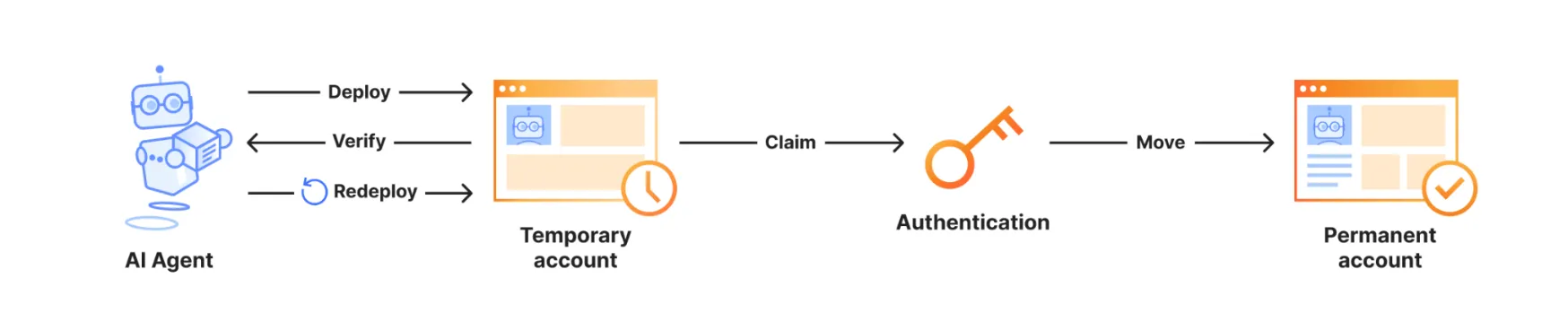
Temporary preview accounts have caps on the products they support (per the docs table): for example, Workers Static Assets tops out at about 1,000 files, ≤ 5 MiB per file; D1 gets one database, and so on. Production and CI should still use a real account plus wrangler login or an API token — don't use --temporary there.
Who it's for, and who should be careful
Demoing a finished HTML/CSS build, client previews, hackathons, class assignments, letting someone click open a static page an AI just spat out, or trying Cloudflare's edge before deciding whether to sign up.
An unclaimed site is fully public (no password gate, just a hard-to-guess subdomain); it's gone after 1 hour; don't drop sensitive data into an anonymous Drop deployment. If you need private delivery, or an agent that keeps overwriting the same URL for continuous updates, Drop isn't a complete answer yet.
- Security researchers have already flagged that account-free public static hosting lowers the cost of standing up phishing pages — that's a side effect of the capability, not a selling point
- File count, size, free-tier caps: the claim docs have a table for temporary accounts; the full hard limits of the plain browser Drop path aren't spelled out line-by-line in the official changelog — go by what the product page actually does
- Update semantics: whether claiming lets you overwrite the same URL in place hasn't been nailed down in public docs yet
What you can do right now
- As a human:Prepare a folder with an index.html, open cloudflare.com/drop, drag it in, copy the URL and send it to someone, and decide whether to Claim within the hour.
- As an agent:Upgrade local Wrangler to 4.102+, have the agent run
wrangler deploy --temporary, and you open the claim URL to fold it into an account. - For a long-term site:Attach a domain and turn on observability right after claiming; if you expect AI traffic, consider turning on Markdown for Agents.
Cloudflare's Brayden Wilmoth summed it up tersely on X: no account required; the deployment stays live for 60 minutes; it expires if unclaimed. That matches the product page and changelog.
Cloudflare Drop: flips "sign up first, then go live" into "go live first, sign up if you want to keep it"
Cloudflare's new drag-and-drop launch tool: drag a folder into your browser, get a public link in seconds, no account needed to start — the whole thing on one page with a diagram.
↓ One page, full picture · includes one animated figure
Cloudflare is one of the world's largest website acceleration and hosting companies — a lot of sites rely on it to withstand traffic and load faster. If you'd built a static webpage (just HTML and images, no database) and wanted someone else to be able to open it, platforms like this used to make you go through a signup flow first.
✘ But you had to register an account and set up a "project" first before the platform would let you upload
You already have a finished folder, or an AI just spat out a page, and all you want is a link to send out — but you get stuck filling out forms and verifying your email first
Around July 8, 2026, Cloudflare launched Drop (at cloudflare.com/drop). Drag a folder or a zip into your browser and it's live on their global network in seconds, no account needed to start; you get a temporary link first, good for about an hour to test and share, and if you want to keep it long-term you click Claim to log in.
Sign up for an account first → create a project → only then are you allowed to upload → get a link
Drag in a folder → get a public link in seconds → log in to claim it later if you want to keep it
There's also a command for AI tools, wrangler deploy --temporary: without you logging in first, an AI can deploy the site, and you claim it within 60 minutes — the same "deploy first, claim later" idea as Drop.
No account, live in seconds — so where does that temporary link actually come from, and how long does it last? One diagram makes it clear.
Ordinary people don't have a feel for "faster" in the abstract — they have a feel for "fewer steps, less waiting." For the same task of making a finished webpage publicly reachable:
All the numbers above come from Cloudflare directly (product page / changelog / Workers docs); there's no independent third-party benchmark yet. The plain browser version of Drop's file-count and size limits also aren't spelled out line-by-line by Cloudflare yet.
- × Sign up first
- × Create a project
- × Verify email
already stuck filling out forms.
a link!
right after dragging
logging in?!
link kept long-term
link expires on its own
Primary source and reference
- Cloudflare Original publisher