Anthropic Adds Reflect to Claude: See Your AI Habits Like Screen Time
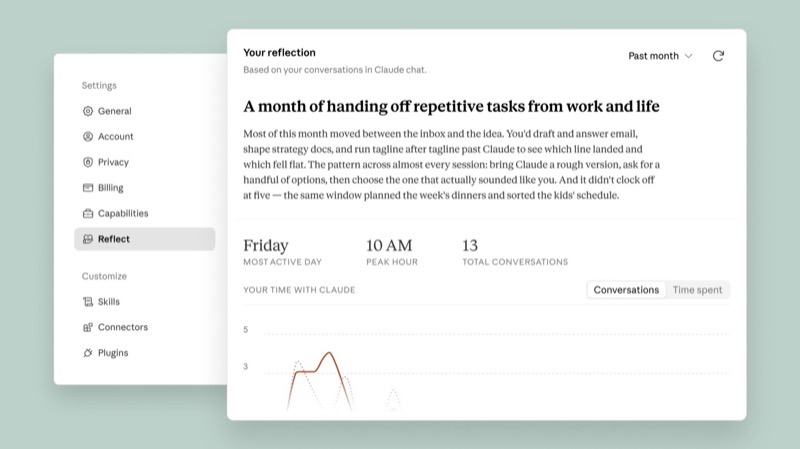
- On 2026-07-09 Anthropic launched Reflect in beta — a "Screen Time for AI" feature in Claude's Settings that helps you see whether your usage still matches what you actually want.
- Look back over 1 / 3 / 6 / 12 months: key topics, usage times, task types; total time spent is coming later.
- It's not just numbers: it prompts you with questions to think about boundaries; you can set quiet hours or get reminded to take a break after long sessions.
- It breaks down "how you collaborate with Claude" using a 4D framework, with concrete fixes (like using a Project instead of re-explaining background every time).
- Free / Pro / Max — requires Memory enabled; incognito chats and health-related conversations don't count; the insights are only used for this report.
You've had this question all along — you just had nowhere to look
You've used Claude for months. A friend asks: "Aren't you a little too dependent on AI?"
When Anthropic interviewed users, the same confusion kept coming up: how should AI fit into daily life? How much use is the right amount? What's fine to hand off, and what should you keep for yourself?
- Only chat history, no overview
- You feel like you "use it a lot" but can't check
- More efficient, but boundaries get blurrier
- Want to change the habit, don't know where to start
- A readable usage report
- Topics, times, task types — all laid out
- The system asks questions that push you to define boundaries
- Concrete suggestions organized by collaboration dimension
Phones have had "Screen Time" for a while now: show you first, then talk about whether to cut back. Reflect does the same kind of thing, just applied to how you relate to Claude. It doesn't hand you the verdict "you're addicted" — it hands you a mirror instead.
Three Soul-Searching Questions, and How the Report Answers Them
Click each question below to see which part of the report Reflect uses to answer it. All three question titles stay visible at all times — nothing is hidden — this just lines up "question → capability" so you can match them up.
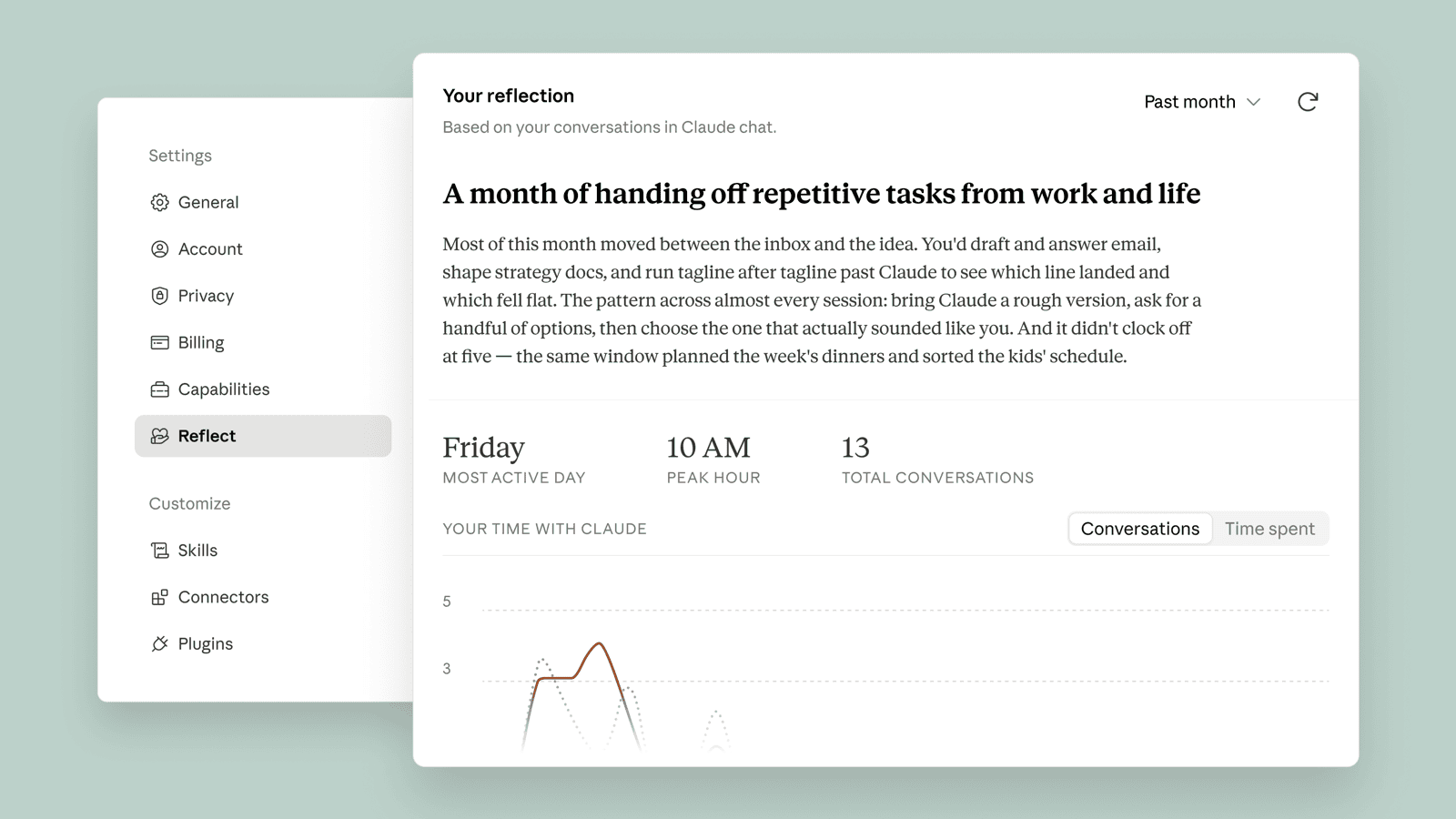
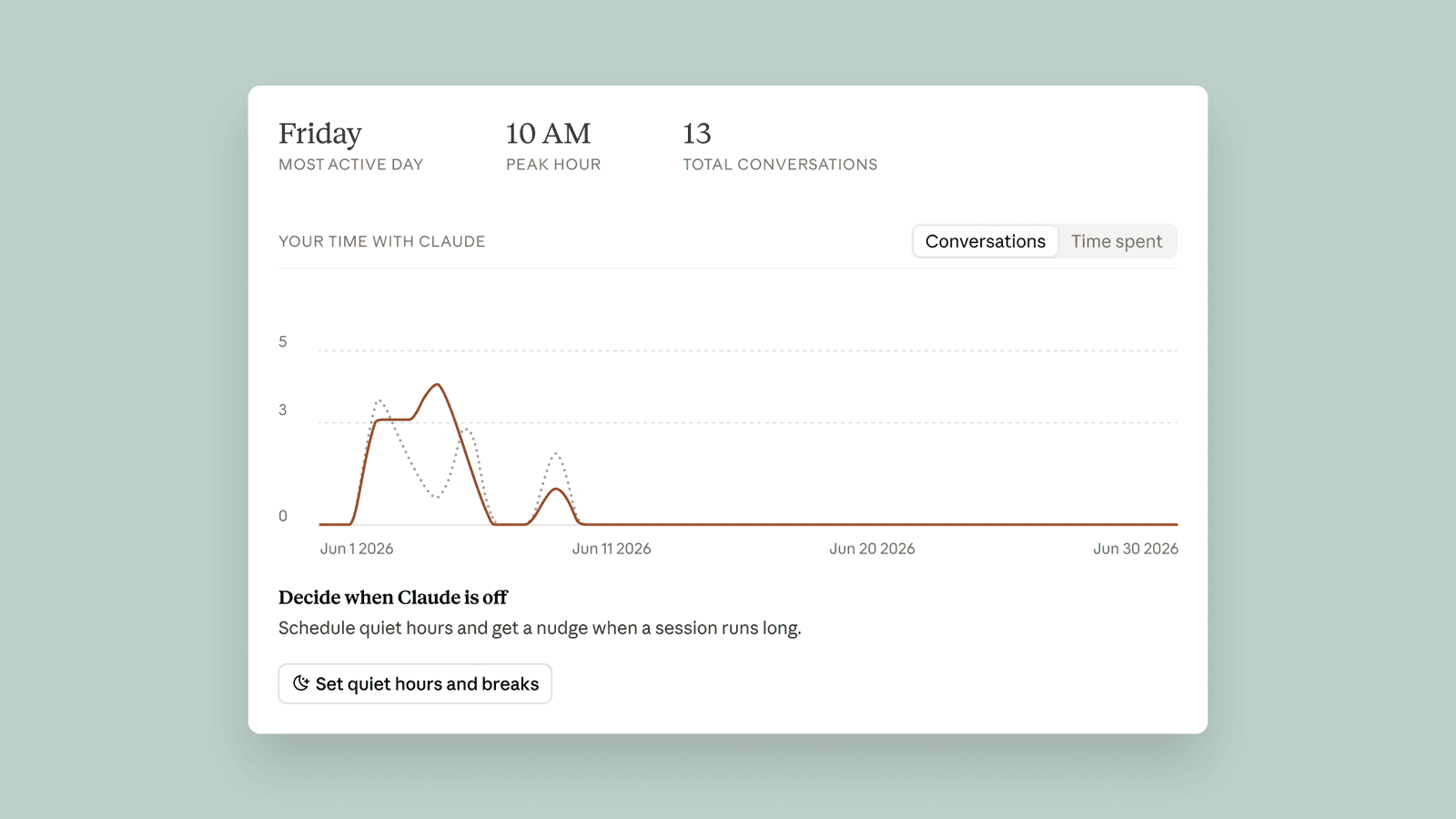
It breaks down your usage times: which days, which hours you talk the most. Total time spent is coming later. In the dashboard you can also set quiet hours, or get reminded to take a break after using it continuously (can be turned off).
Simply seeing "still chatting away at 2am" often does more than being told to "exercise restraint."
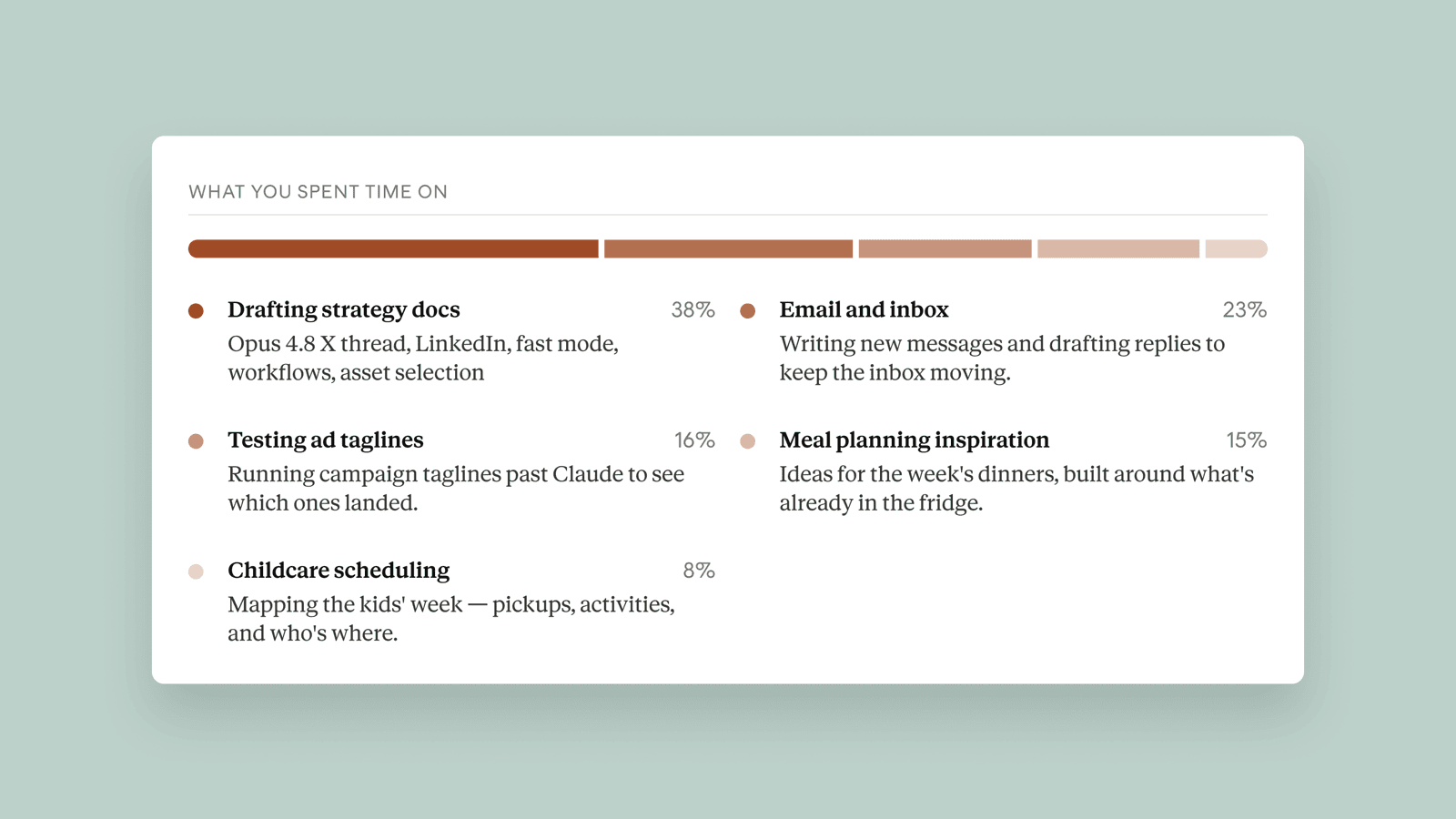
The report opens with key topics + common task types: what you've mainly been working on during this period. You can switch between 1 / 3 / 6 / 12 months to compare "a recent push" against "long-term habits."
If it turns out 80% of your time goes into having it edit emails, and almost none into strategic thinking, that's just data — not a moral judgment.
The system occasionally poses questions. The official example is:
Is there something you'd still want to do yourself, even if Claude could do it faster?
You can keep discussing it with Claude from there. The report also gives examples using the 4D collaboration framework — like how you often rewrite email drafts back into your own voice, or set the strategy before handing off the task. Those are "the parts you're still keeping for yourself."
Open the Report, and Here's Roughly What You'll See
You'll find it in Settings on Claude's web or desktop app — select Reflect on your usage, then generate the report. Below are the official screenshots.
From "Seeing It" to "Using It Better"
Reflect also breaks your collaboration style down into Anthropic's 4D framework. The name is four Ds — in plain terms:
Official example: do you always think through the strategy first, then hand off execution to Claude? Or do you just start with "handle this for me"?
A vague goal description gets you a vague output. The report shows whether you're constantly adding context or revising your prompts.
For instance, if you rewrite email drafts back into your own voice, that shows you're exercising judgment, not accepting everything as-is.
Once AI is involved, whose work is it once it's sent out? The framework insists the person keeps the responsibility.
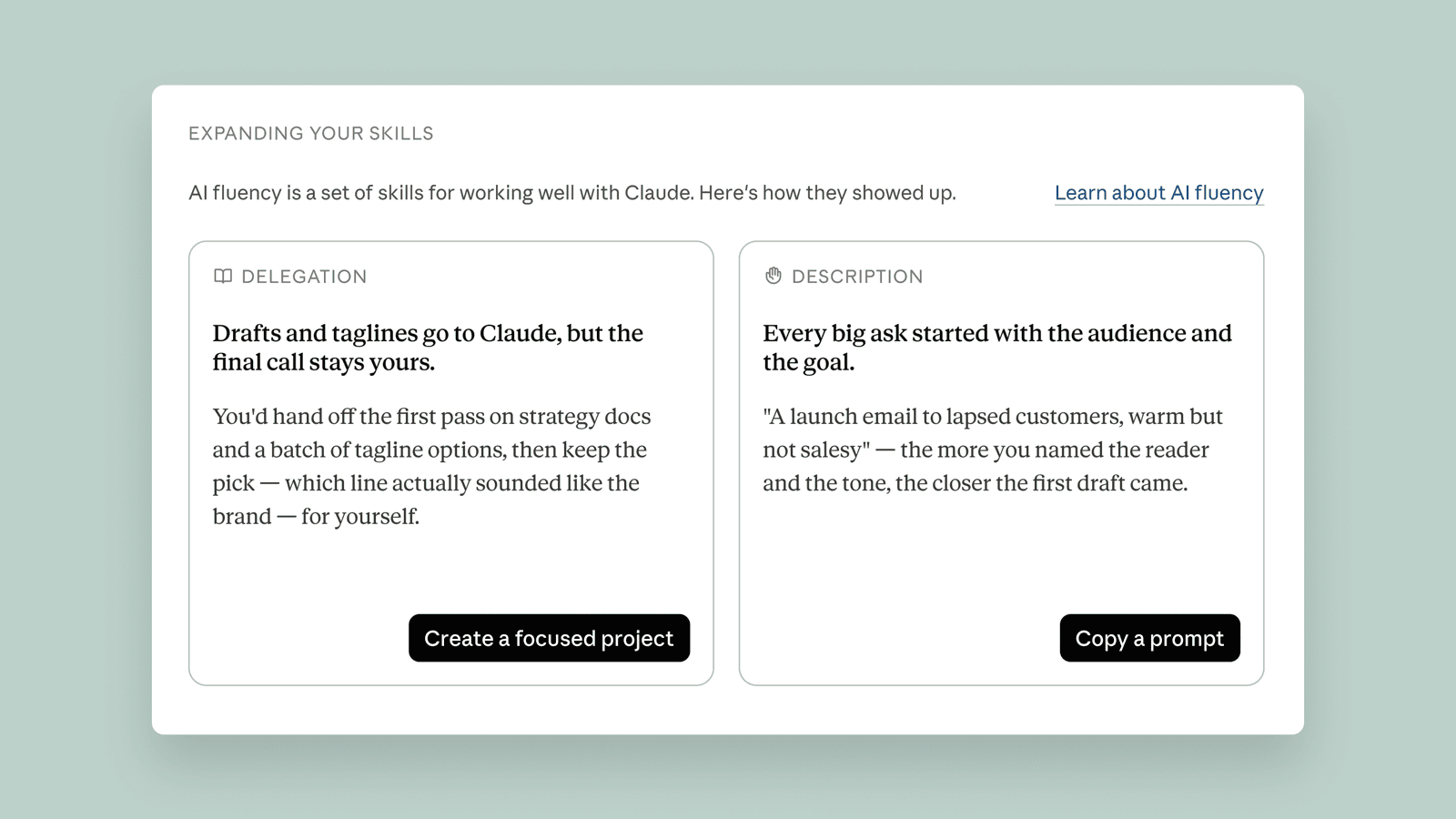
Official example: if you keep re-explaining the background of the same project, the report will suggest opening a Project, to keep long-term context in one place, so you stop repeating yourself. That's a lot more concrete than just saying "you should know how to use AI."
What Goes Into the Report, and What Doesn't
- Incognito chats don't go into Reflect
- When you have Claude summarize your inbox, the report might show "summarized your inbox," but the original emails never appear
- Conversations involving health-related tools are excluded entirely
- Sensitive topics appear, at most, at a very coarse level of granularity; during development, MIT Media Lab, Boston Children's Hospital's Digital Wellness Lab, the Family Online Safety Institute, and others reviewed it
- Insights stay within Reflect only — Anthropic states they aren't used for anything else
Three Steps
Turn On Memory
Turn on the memory capability in Settings. Without Memory on, Reflect has no material to work with, and no report will be generated.
Go to Settings and Generate the Report
Web or desktop app → Settings → select Reflect on your usage → Generate.
Pick a Time Range, Then Decide
Switch between 1 / 3 / 6 / 12 months. Set quiet hours or break reminders if you want them; turn them off if you don't.
Available on: Free, Pro, Max (personal accounts). Reflect for Cowork conversations is, per the official announcement, "coming soon." For Team / Enterprise accounts, go by what actually shows up on your Settings page.
Want to confirm whether it's "using a tool well" or "already can't function without it" — start with the time and task breakdown.
The 4D examples make for an easy discussion starter: which steps must stay human, and which can go to AI.
Get clear on the boundaries around incognito / health / raw files first, then decide whether to turn Memory on.
If the report flags this, switching to a Project as suggested usually saves you effort right away.
How You Use AI: From "Can't Quite Say" → A Report Laid Bare
Anthropic added Reflect to Claude — like Screen Time for your phone — laying your AI usage habits bare, explained in one page with visuals.
↓ Read it in one page · includes one animated diagram
Claude is Anthropic's AI assistant, and plenty of people use it every day to write, research, and code. But after months of use, if you actually had to explain how you use it — where, when you go hardest, whether you've offloaded things you should be thinking through yourself — you'd probably come up blank.
✘ But there's no overview — where you use it, when you talk to it most, whether you've offloaded things you should think through yourself — none of it is clear
It's like having only a running ledger with no dashboard. You feel like you "use it a lot," but you can't verify it, and you wouldn't know where to start if you wanted to change.
On 2026-07-09, Anthropic launched Reflect (a beta feature): one click in Claude's Settings generates a usage report that lays out key topics, usage times, and task types for you to see.
And it doesn't just give you numbers — it turns around and asks you: are there things you'd still want to do yourself, even if AI is faster? So how did it turn a pile of chat history into this mirror?
The key prerequisite is turning on Memory first (the feature that lets Claude remember what you've talked about). With that material in place, Reflect can roll months of conversations up into a single report.
The report mainly answers three of the most common questions,
- Am I using it too much? → Check usage times: which days, which hours you go hardest; you can also set quiet hours or get reminded to take a break after long use.
- What am I actually using it for? → Check key topics and task types: writing, research, coding, or just chatting — clear at a glance.
- What should I really be doing myself? → Use the 4D framework to draw the line: whether to hand it off / whether you've spelled it out / whether you scrutinize the output / who's accountable for the result.
All features and boundaries above come from Anthropic's official blog post (2026-07-09); this is a beta version. TechCrunch, Axios, and other outlets have covered it — official source takes precedence for facts.
dependent on AI?
can't say
Wants to change, doesn't know where to start.
one click
, all visible
how's this a mirror?
gather enough material,
then roll it up
Push or long-term — one glance tells
AI's faster —
you'd still want to do yourself?
- × Incognito chats, not in the report
- × Health-related chats, excluded entirely
- × Original emails, never appear
help draw the line
then talk about cutting back
Beta version · per Anthropic's official blog (2026-07-09)
Primary source and reference
- Anthropic Original publisher